Joey Beasley

CSCI 496: Senior Portfolio
In partial fulfillment of the requirements for the degree of Applied Computing: Graphic Arts (class of 2025)
View My Resume
View My LinkedIn Profile
Documentation
- Statement of Purpose (with the Problem Statement)
- Research and Background
- Challenges Overcome
- Future Enhancements
- Defense Presentation Slides
Statement of Purpose (with the Problem Statement)
I want to make something that blends visual art with programming. In most visual novel type games, players do not receive any consequence for failure, being allowed to correct themselves or go back to a previous point to fix their mistakes. Adding consequences to somebody’s failures in a game not only adds to the challenge, but also makes any error all the more impactful. My idea is to make a game where everyone’s survival is dependent on you. This will result in a game that is more impactful on players by giving them perosnal connections to characters that may not survive if things go wrong.
Research and Background
In the summer of 2024, I downloaded Renpy and practiced coding some simple tests and demos in Visual Studio Code to run on there. I also drew the characters in Clip Studio Paint and imported them into the code. When it came time to incorporate minigames into the gameplay, I researched a few basic minigames online and used them as a basis for the code during those sections.
Project Language(s), Software, and Hardware
The language used for the game is Python. The code was typed up in Visual Studio Code and ran in Renpy. The character designs were drawn in Clip Studio Paint with a Wacom Cintiq drawing tablet. All of this was created on my MacBook Pro.
Project Requirements
To run this, you need to download the files from github and then use Renpy to open and play.
Project Implementation Description & Explanation
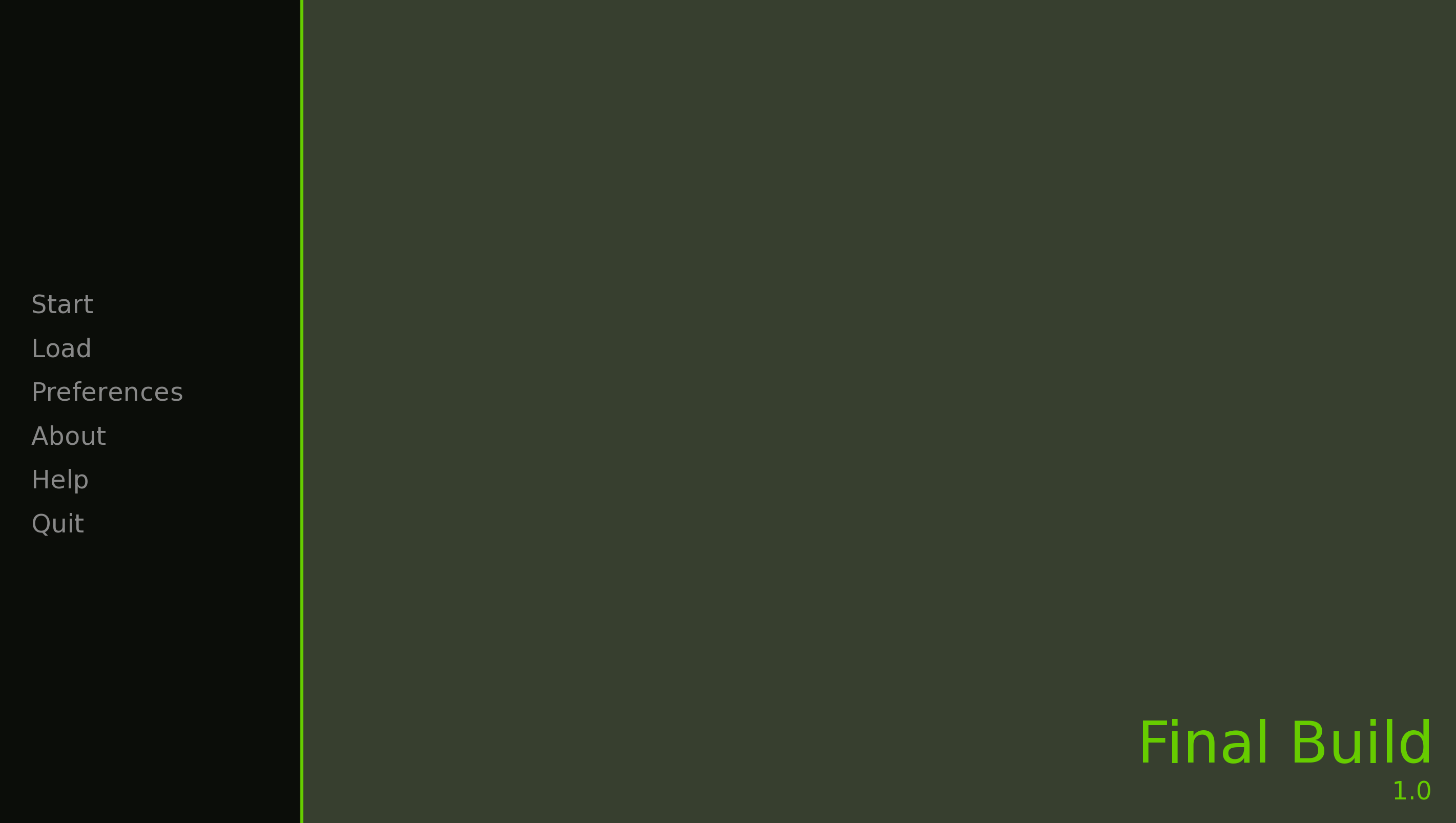
Fig 1. The launch screen
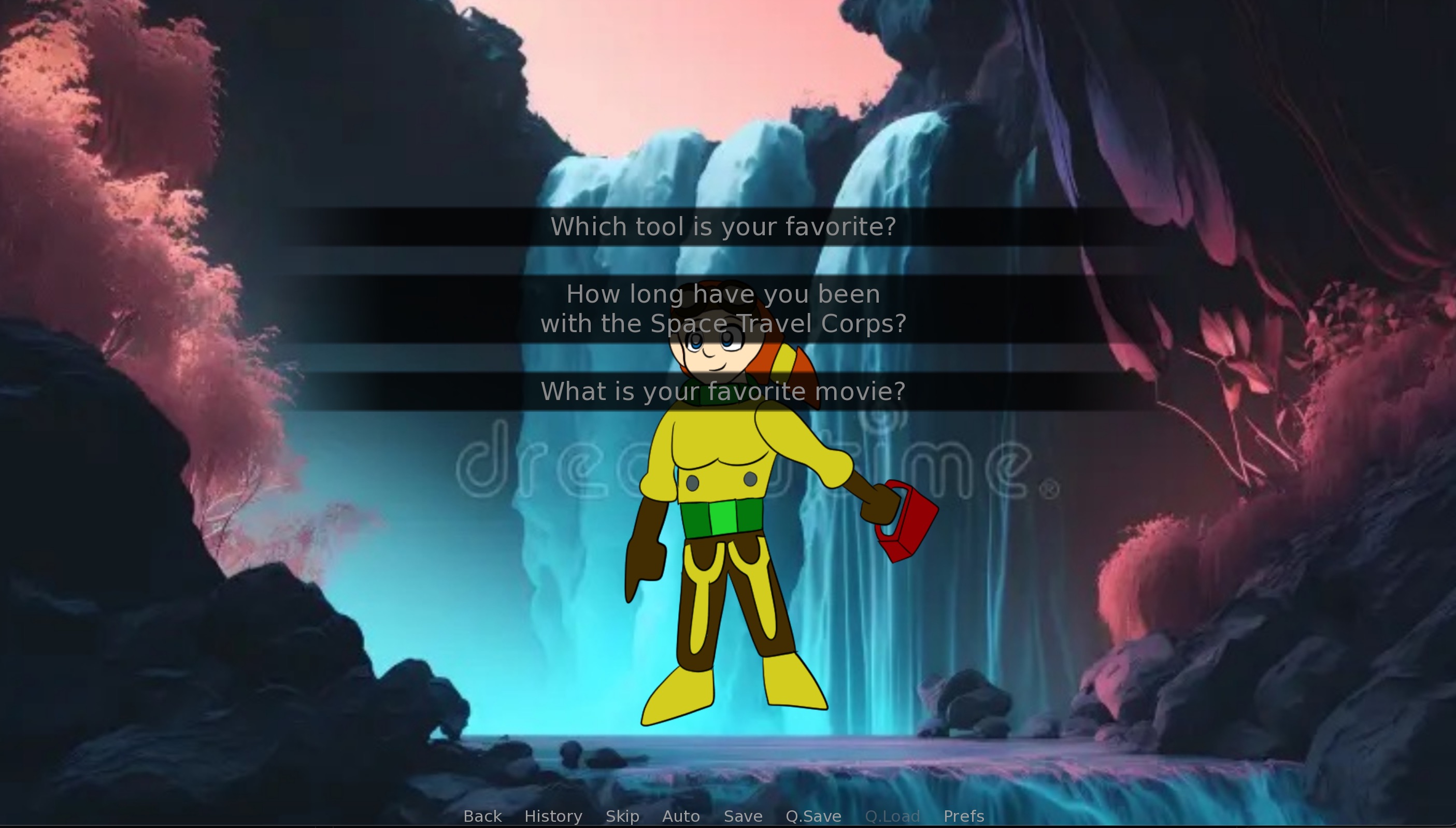
Fig 2. Offering if you want the mechanic to ask a question, or for you to ask her a question. This comes in handy later when a shapeshifting alien poses as her.

Fig 3. Players must press the spacebar to shoot an alien before it attacks their team.
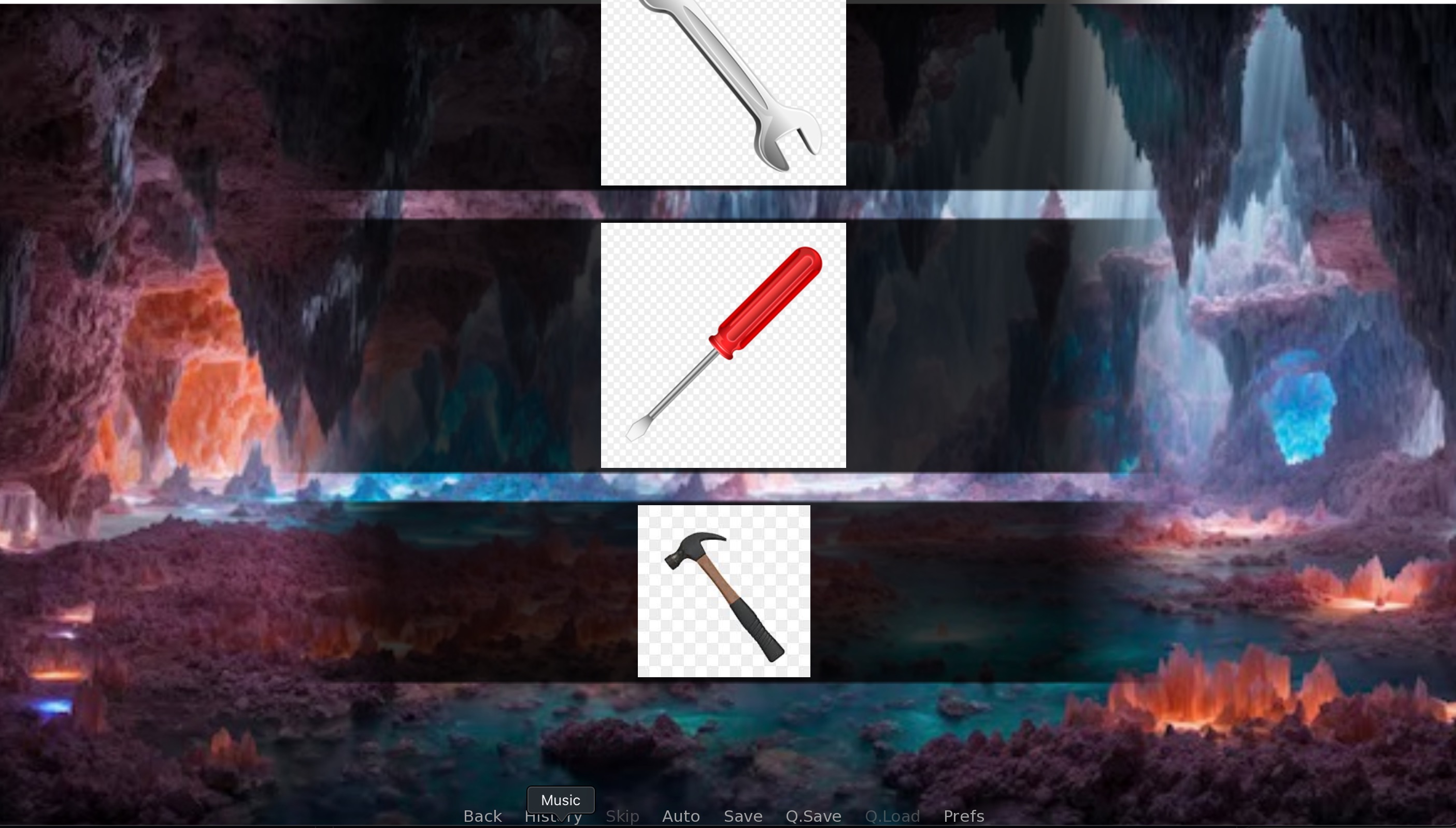
Fig 4. The correct tool must be selected from a prompt describing what needs to be fixed on the ship.
https://github.com/JoeyBeasley/JoeySP
Test Plan
| # | OBJECTIVE | INPUT | EXPECTED RESULTS | TEST DELIVERABLES | |
|---|---|---|---|---|---|
| 1 | Should Display Game and characters | Should be displayed | Everything appears | ||
| 2 | Should Count how many are found and let me end based on if the count is three | Should only access last part is found = 3 | It accesses the last part once the found count is 3, but does not end the game yet | ||
| 3 | When spending time with the mechanic, you are given the option to either ask her a question or to have her ask you a question | If you offer to be asked, she will ask for your input, which should be saved to an input variable. If you ask her a question, you pick one of three, later on an imposter appears and you use that question to decide which one is the real her. | Selecting if you want to ask or her to ask, and answering correspondingly | If entered correctly, you will either ask her and imposter a question, that question being the one from earlier, or she will ask you that question | The correct question and answer are implemented |
| 4 | If it keeps track of if someone has died and it affects the ending | Load a file, Let someone die, Get to the ending and see if it is the corresponding one. | The charcacters who are alive should appear at the end, with the dead characters being missing, with their absence leaving an impact | The alive are still around | |
| 5 | It should keep track of the items that have been found | Play the game and find one of the tools (such as the wrench), Select the leave option once warped back to the hub, See if it only lets me leave if all parts are found | It knows whether or not I found the parts and only lets me leave when they have been retrieved | ||
| 6 | If the navigator has given us a blaster, we can use it | After starting a new game, travel through the forest, and locate the Navigator, Get my blaster, Access both scenarios that involve the blaster, See if I am allowed to use it if I select the option, if I can, I have it! | The program knows whether or not not I have it, with the spacebar command appearing to shoot an alien | It gives me the blaster and lets me use it | |
| 7 | Send the player back to the hub when a part is found or when given the option | Play through the game and obtain the items in an area. Be sent back to the hub with the commander greeting me! | The program should send me back to the hub when a part is found | It sends me back to the main hub once I find a part | |
| 8 | One mini game for repairing the ship has you select the right tool for fixing something wrong. If you pick wrong, you have to start over | Get to the part of the game where all the parts are found and the mechanic is safe,Play the mini game, | If I get all five right, we move on to flying the ship If I get one wrong, I have to start over, stopping once I get five correct, No question should show up twice in a single go, there is a boolean in the randomizer that won’t let the question repeat if answered correctly. | It works, it stops when I get five consecutive correct answers | |
| 9 | One of the finales is a quick time event, four arrow keys are listed and you must enter them in the correct order in a time limit or else you will crash. | Reach the last part (I included a shortcut in the main hub to reach this) and start it The order of keys are spelled out In three seconds, type those keys in the order they were listed, | if done correctly, move on to the next promptIf failed, crash the ship and give the players a game over before provided the option to try again. | all instances are completed successfully, cue up the finale, congratulating the player, but I am having trouble making the game end afterwards | |
| 10 | Another final section shows meteors in front of the ship. Depending on their positions, you must either type in the arrow key representing the opposite direction to steer around them, or press the space bar to shoot at them if they are in the center of the screen. | Get to the last part (Had a shortcut in the main hub in one build) Display a meteor on one part of the screen (up, down, left, right) Que a quick time event where you must type the arrow opposing the position of the meteor. If it is in the center, pressing the spacebar in time will blast it and allow you to move on. | If entered correctly, you will move on to the next section before winning. | all instances are completed successfully, cue up the finale, congratulating the player, but I am having trouble making the game end afterwards |
Test Results
| # | Expected | Results |
|---|---|---|
| 1 | When the code says show/hide a character, they should appear | The characters appear when prompted and hide for another character |
| 2 | The leave command should only work if both parts are found | The booleans and if statements work and I cannot leave if I don’t have all the parts yet |
| 3 | You answer or she answers and the question is brought up later | I am able to ask or answer and it keeps track of that |
| 4 | Can’t leave day 1 if mechanic is dead, hard minigame when navigator dies. I play through and test the scenarios of each/both of them alive or dead | The respective events are triggered |
| 5 | If I have the part from waterfall, I cannot go back to that place | The game does not allow me to return there once I have the part |
| 6 | If I have the blaster, I can use it, if not, mechanic use her wrench to ward off alien | The prompt works for both cases |
| 7 | That jump should take me back to the menu | I am led back to the menu when I find a part |
| 8 | If the counter reaches five, the ship should be fixed. If wrong answer, I have to do it all again | The counter corresponds to answered correctly and the minigame is completed once it reaches five |
| 9 | If wrong arrows are typed, you crash and are given option to start over. If the right ones are pressed, the next section starts | When the wrong buttons are pressed, I crash. Otherwise, I move on to the next part before winning, starting the end sequence |
| 10 | If I press the wrong button, the ship crashes and I am given the option to start over. Pressing spacebar blasts a meteor | It responds to the right and wrong input, including getting rid of the meteorite |
Challenges Overcome
When the game was suppossed to end with a return, the previous event restarted instead. I did some research and found the break command, “$ renpy.full_restart()”, which stopped the game when I wanted it to. Finding minigame ideas was a challenge, as I needed something simple, something that would not take long to program. Luckily, there is a long list of games that can be coded into Renpy, which I utilized. At one point, the images tool still had their checkerboarded backgrounds. I removed them in an editor, but the images were way too big when loaded into the game, making the fixing minigame impossible to beat. I stopped the game and one by one, made smaller duplicates of the images and replaced the previous ones with those.
Defense Presentation Slides
Future Enhancements
I hope to update more of the character designs (such as the mechanic’s finger being on the wrong side of her hand) and make them look more refined, such as adding shading and more complex shapes. I would also like to make the game a bit longer and add more challenges, such as maybe a fourth teammate or another day on the planet.
