Joey Beasley

CSCI 496: Senior Portfolio
In partial fulfillment of the requirements for the degree of Applied Computing: Graphic Arts (class of 2025)
View My Resume
View My LinkedIn Profile
Project 2: Chess Team Project
- Class: CSCI 325
- Grade: 80
- Language(s): XML, Java
- Source Code Repository: features/mastering-markdown (Please email me to request access.)
Project description
My team and I compiled a two player chess game through Java that runs in NetBeans. The game displays a Battleship-styled grid with letters representing the pieces (K for King, Q for Queen) and asks each player what space they want to move and what space they want to move the piece there to. It will ask if it the other player is in checkmate before it is the other player’s turn.
How to compile and run the program
How to compile (if applicable) and run the project.
Open the folder in NetBeans. With the ChessMain file selected, click the green play button. The chessboard will be displayed and you will be prompted to enter the space you want to move (ie, E2).
If the programming language does not require compilation, the update the heading to be “How to run the program.” If your application is deployed on a remote service, including instructions on how to deploy it.
UI Design
Make run would run the code. Make example-test runs the example test file. Make simple-test runs the simple test file from src.

Fig 1. The launch screen
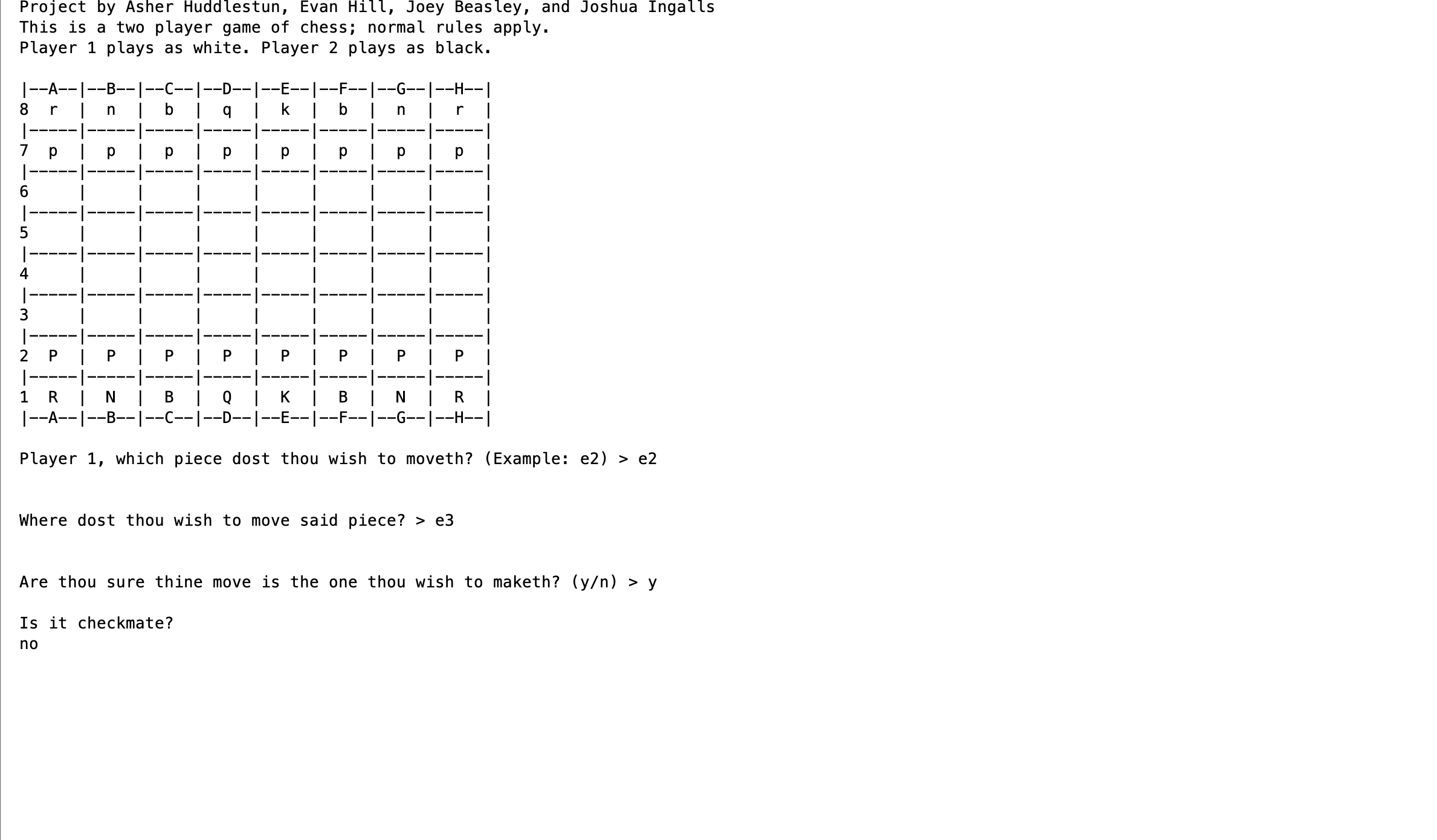
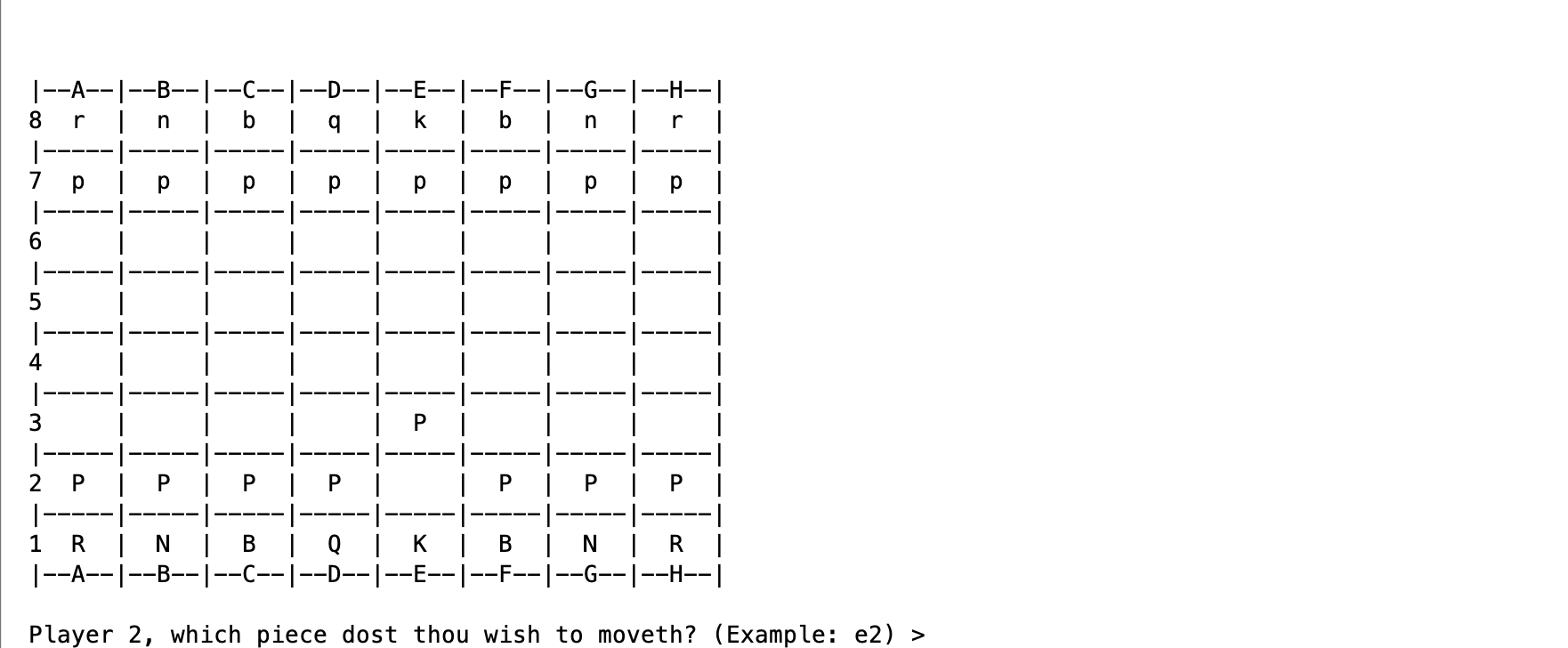 Fig 2. Example output after input is processed.
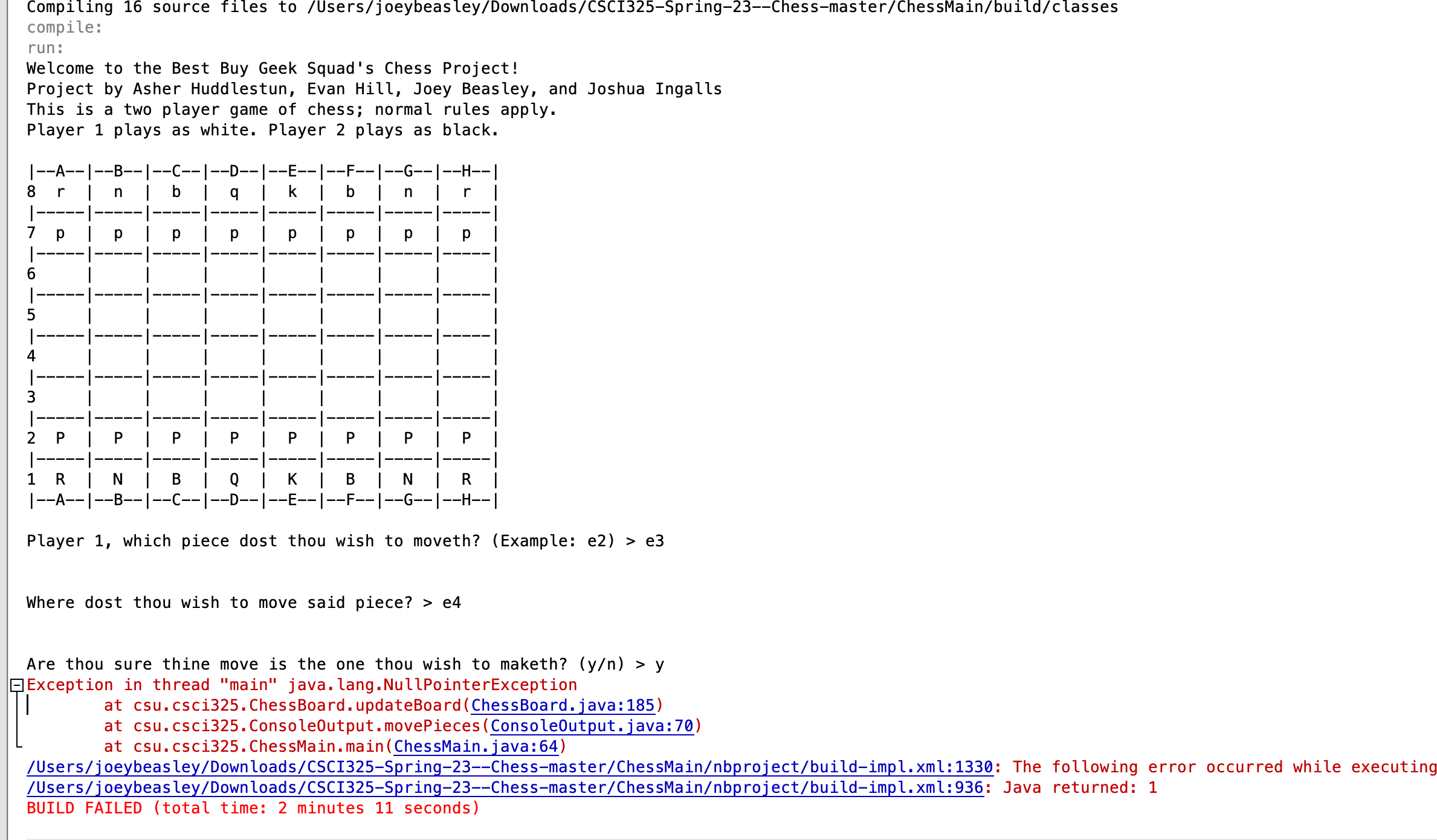
Fig 3. Feedback when an error occurs.
3. Additional Considerations
Sed ut perspiciatis unde omnis iste natus error sit voluptatem accusantium doloremque laudantium, totam rem aperiam, eaque ipsa quae ab illo inventore veritatis et quasi architecto beatae vitae dicta sunt explicabo.
For more details see GitHub Flavored Markdown.